Integrate Kaseya BMS With CyberFOX Password Manager
This document will provide detailed instructions for integrating Password Boss with Kaseya BMS.

Written by Owen Parry
Updated at September 12th, 2026
Table of Contents
Integrating Kaseya BMS with CyberFOX Password Manager
Prerequisites
To integrate CyberFOX Password Manager with Kaseya BMS you will need the following information.
Hostname of your Kaseya instance
Username of an admin user within your Kaseya instance
Password for the user
Company name of your company in Kaseya
In the CyberFOX Password Manager Partner Portal, navigate to Integrations -> Available Integrations.
Click the tile for Kaseya BMS and enter the following information
-
Hostname - the full URL to your Kaseya BMS implementation. Do not include the protocol (https://) or the remainder of the path.
-
Username - An admin user on your account
-
Password - The password for the user
-
Company Name - Your company name from Kaseya
After entering your information, click the Authenticate button to confirm if CyberFOX Password Manager can successfully communicate with your Kaseya BMS Instance.
Enable the Integration and click Save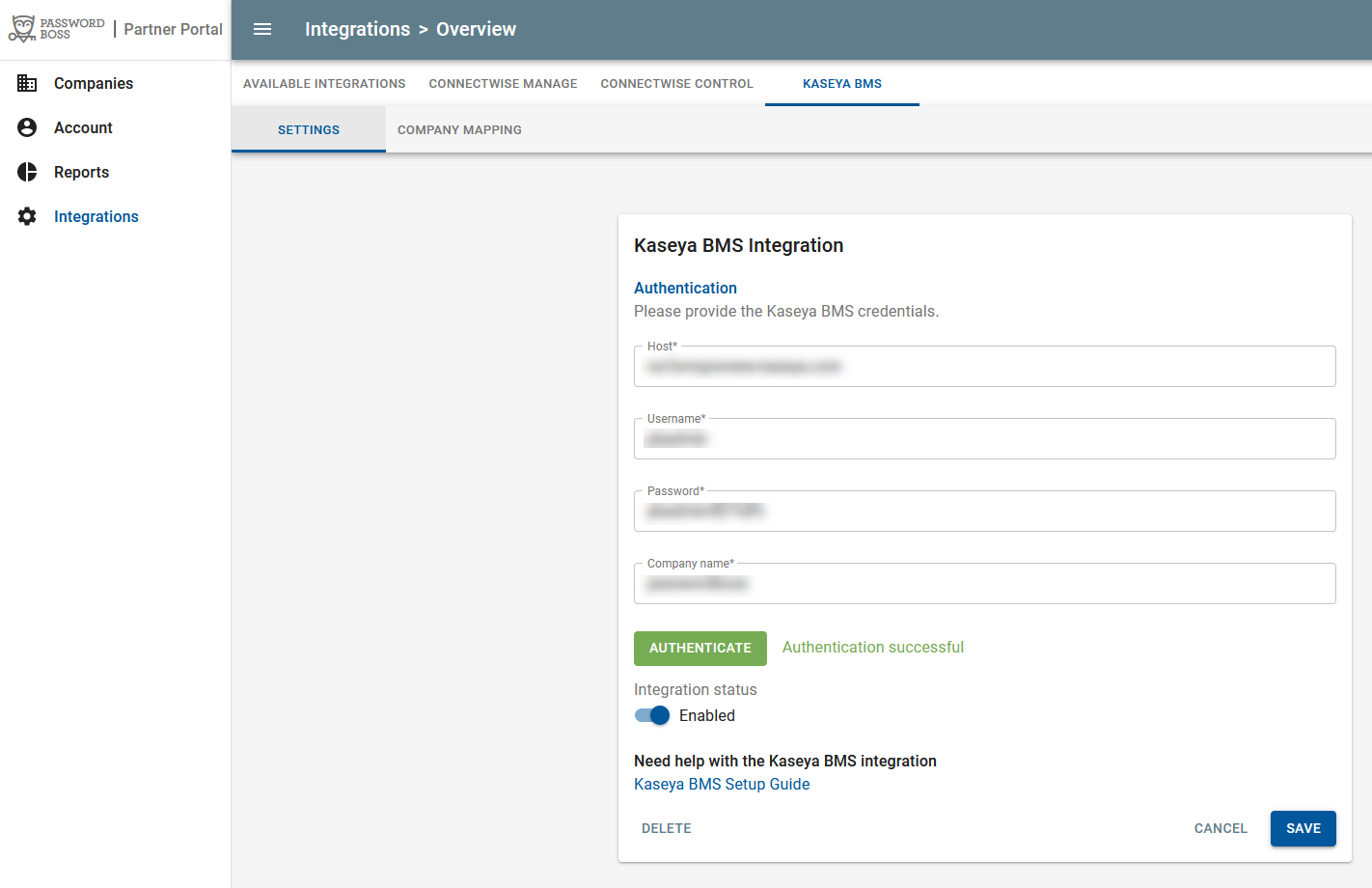
Integration Status
The Integration status toggle lets you disable the integration if you need to. If the integration is disabled no data will be sent to Kaseya. You will, however, be able to configure all settings, product mappings, and company mappings with the integration disabled.
Once you have saved your integration, the product mappings, sync schedule, and company mappings options will be visible.
Product mappings
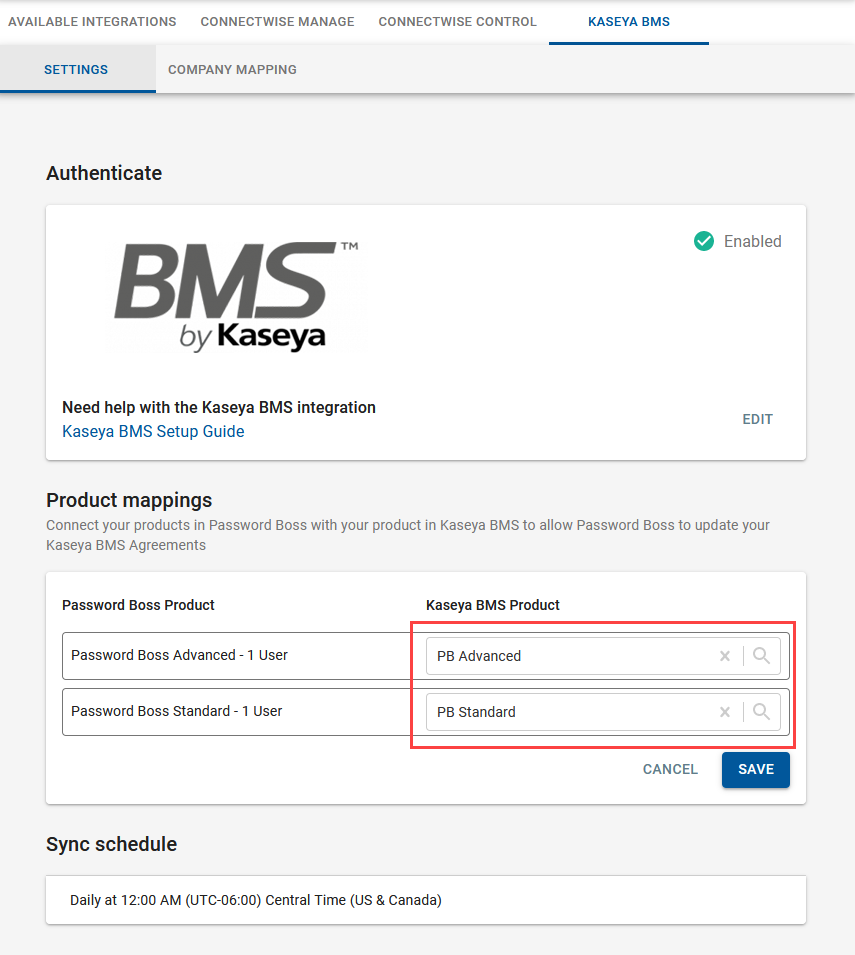
Product mappings allow you to update contracts in Kaseya with user counts from CyberFOX Password Manager. Click the Product Mappings box to enable editing.
- The list of available CyberFOX Password Manager products will appear in the left column.
- In the right column, search for your CyberFOX Password Manager Services that you have created in Kaseya. Services are created in Kaseya from Admin->Finance->Services.
- Click Save when done.
Sync schedule
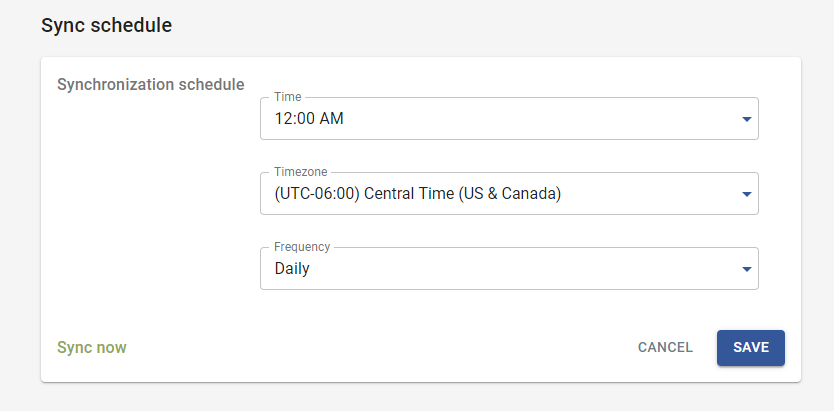
- CyberFOX Password Manager can update agreements in Kaseya on a daily or weekly schedule that you choose.
-
CyberFOX Password Manager calculates monthly user counts for your invoice from CyberFOX Password Manager on the last day of the month. Your account is charged by CyberFOX Password Manager on the first day of the month.
- When choosing a sync schedule, be sure to sync from CyberFOX Password Manager to Kaseya prior to generating your invoices from Kaseya so that your Kaseya invoice reflects correct user counts.
-
Sync now allows you to do an immediate sync that will run within a couple of minutes.
Company mapping
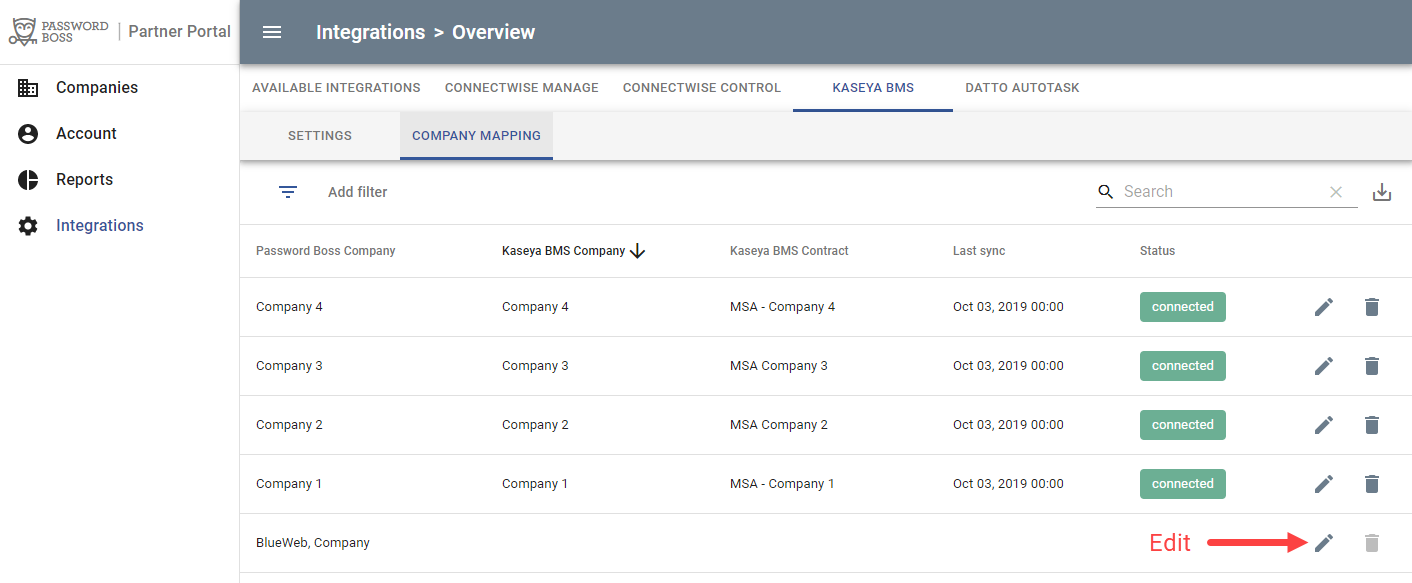
The Company Mapping tab allows you to connect companies in CyberFOX Password Manager with Companies in Kaseya and to select which contract to update in Kaseya.
All existing CyberFOX Password Manager companies will appear in the table. Click the pencil icon to edit a company.
-
Last Sync shows the date and time of the last sync from CyberFOX Password Manager to Kaseya. See the previous section to force an immediate sync after setting up company mappings.
-
The Status column will show the synchronization status of an individual company and agreement synchronization. If an error occurs, troubleshooting details will be provided.
- Each company mapping requires a Kaseya contract to save the mapping.